Note: I’m based in Korea, so some context here is Korea-specific.
About 300 days have passed since I first built my Raspberry Pi cluster.
The trigger wasn’t really that big a deal.
Every morning on my way to work, I read a news curation service called GeekNews 1, and one day an article titled Chick-Fil-A’s Edge Computing Architecture: Enterprise Restaurant Compute caught my eye.
After that, the thought of “even Chick-Fil-A runs Kubernetes, so as a server engineer, shouldn’t I have at least one cluster of my own to manage?” was where it all began.
Setup
My rooftop room (…) cluster looks roughly like this.
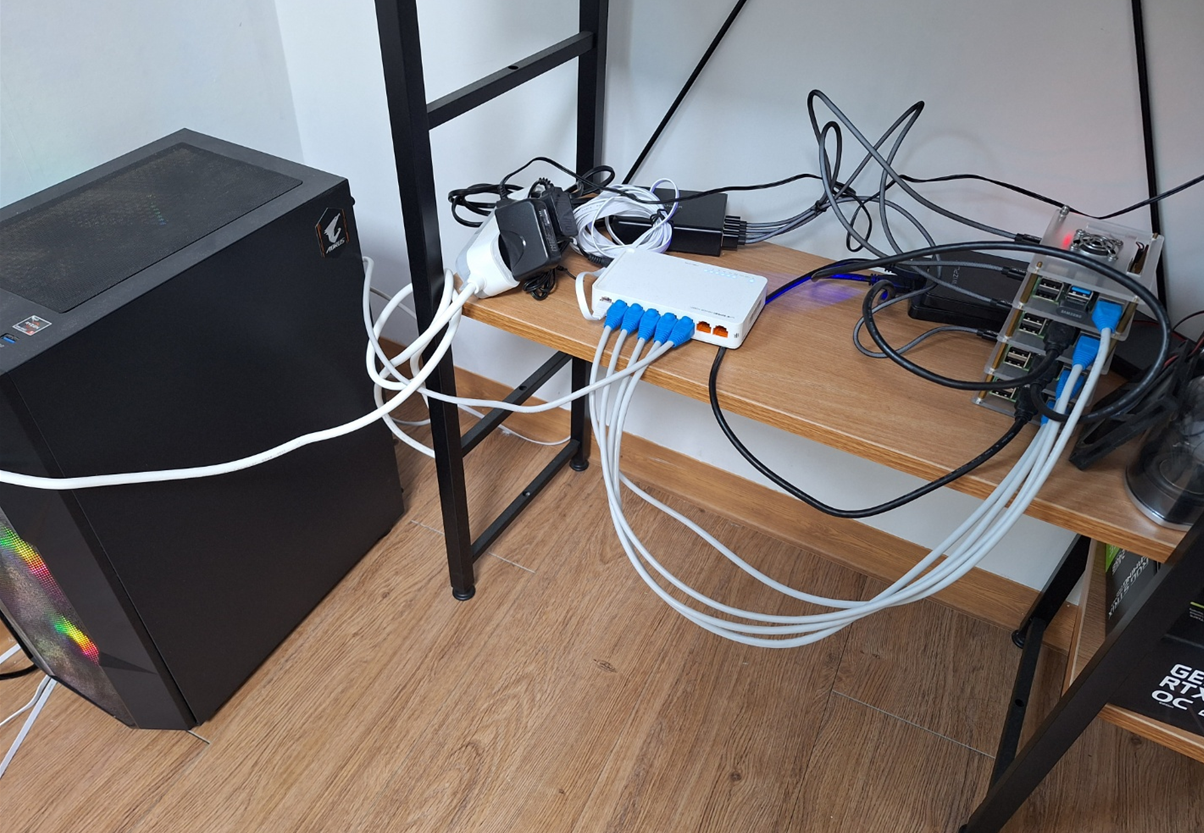
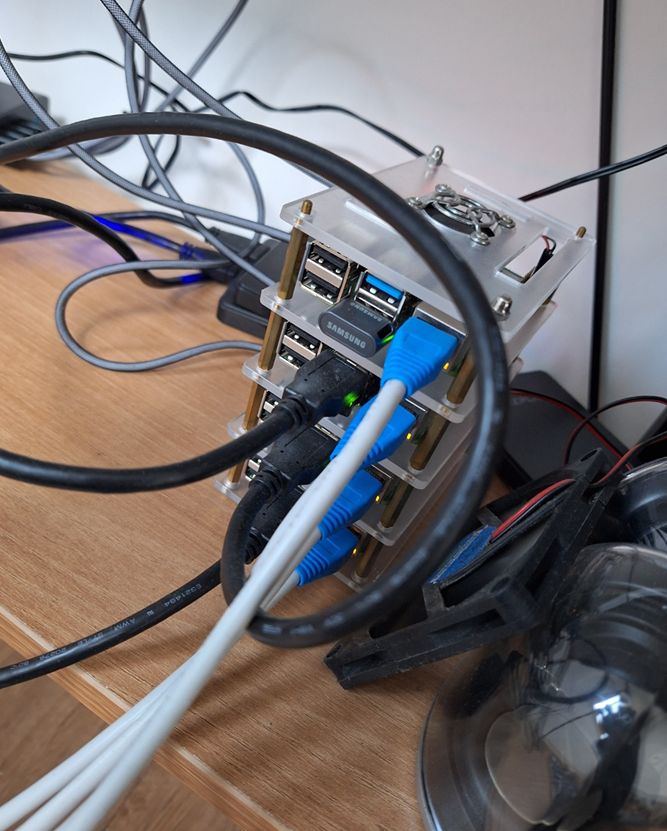
To summarize the spec:
- Control Node
- Raspberry PI 4b+ 8GB Model * 1
- Samsung MUF-AB FIT PLUS 64GB USB
- ARM Worker + Storage Node
- Raspberry PI 4b+ 8GB Model + 500GB SSD(PNY CS900 500GB) * 3
- Sandisk USB Ultra Fit USB 3.1 32GB * 3
- GPU X86 Worker Node (For ML)
- Ryzen 5600x + 64GB DDR4 3200 RAM + RTX3090 + NVME SSD(WD Black) 1TB + WD RED Plus 4TB HDD
So in total, I’m running a mixed X86/ARM cluster with 4 Raspberry Pis and 1 X86 GPU server.
For disk I/O on the Raspberry Pis, I use USB drives instead of SD cards for stability reasons.
Wait, with only 1 Control Node, you can’t do HA, right?
This was my biggest concern when first building the cluster.
- Configuring 3+ nodes for HA is safer, but considering the Pi’s limited compute power, I wanted to minimize wasted compute as much as possible.
As a result, I went with a single Master Node but added the following safeguards.
- Instead of etcd, I use an External Database as the state store.
- Currently I’m using Supabase’s Postgresql as the external store.
- The Master Node has a Taint applied so it can’t schedule jobs.
- This reduces the impact if the master node suddenly dies during job allocation.
- I’m using slightly more reliable hardware for the Master Node (USB, cooler, etc.).
- Instead of etcd, I use an External Database as the state store.
Even so, there was a time during summer when the USB on the Master Node died from overheating (…), but since all the State exists in the external DB, I was able to recover within 10 minutes.
What I’ve built so far on the software side
- Using K3S and an External DB, I built a system that can recover even if the Master Node goes down.
- Using ArgoCD and Github, I built a GitOps system.
- Using Mend Renovate , when new versions of installed Helm Charts or Private Registry images are released, PRs are automatically created to keep the cluster up to date.
- Using Longhorn , I implemented distributed storage so the system can recover even if a single SSD fails.
- I built a Docker Private Registry, and using Docker-registry-browser , I built a GUI to view uploaded images.
- Using Sealed-secrets , I store and manage Secrets in Git without external services. Also, using Kubeseal-webgui , I built a GUI screen for conveniently adding Secrets.
- Using kube-prometheus-stack , I built and manage a monitoring system.
- Using CloudNativePG , I built an HA Postgres database system, and to prevent any unforeseen accidents, I set up automatic backups to AWS, etc.
- Using Portainer , I built a system for cluster management based on a web UI.
- Through MetalLB configuration, I can easily build endpoints and services accessible only from the internal network.
- Using nvidia-device-plugin , I enabled containers on Kubernetes to use devices like CUDA.
- Borrowing the idea from the traefik-forward-auth library, I built my own authentication system. Beyond passwords, I made internal management systems accessible via SSO login.
Posts to come
Going forward, I plan to revisit what I’ve built and add posts one by one when I have time, covering everything from hardware to software to system configuration. The above is listed without any particular order, and the content may change as I write.
Additionally, this build guide is based on the method I personally followed and verified to work as of December 2023.
Wrapping up the introduction
While building the cluster, I searched hard for related materials,
but found that surprisingly, there aren’t that many out there. VladoPortos ’s Kubernetes with OpenFaaS on Raspberry Pi 4 was very helpful, but it was unfortunate that there weren’t many Korean-language resources.
Even if only modestly, I hope this guide helps anyone trying to pioneer a similar path.
GeekNews is a Korean tech news curation site, similar to Hacker News but focused on the Korean dev community. ↩︎
Comments