
Note: I’m based in Korea, so some context here is Korea-specific.

I bought a TV backlight on AliExpress.
Honestly, I didn’t really care about integrations at first.. some lights behind the TV for just $20-something? No reason not to buy it, right?
It would be nice if it could sync with what’s playing on the TV in real time, but..
If it were a Chromecast, I could just hook the HDMI line, but my TV doesn’t have anything like that — it’s an Android TV. So in theory? I could connect via ADB or install a separate app, extract pixel info from the screen edges, and sync it in real time..?
But hey, expecting all that from a $20 device is asking too much. So I figured it was probably a simple setup where a camera sensor sits next to the TV and just shoots whatever color the camera sees onto the LEDs.
Because it only captures the center of the TV, it’s not exactly perfectly synced with the TV colors — but whatever, the point is that there’s light behind the TV. That’s what matters.
But then..
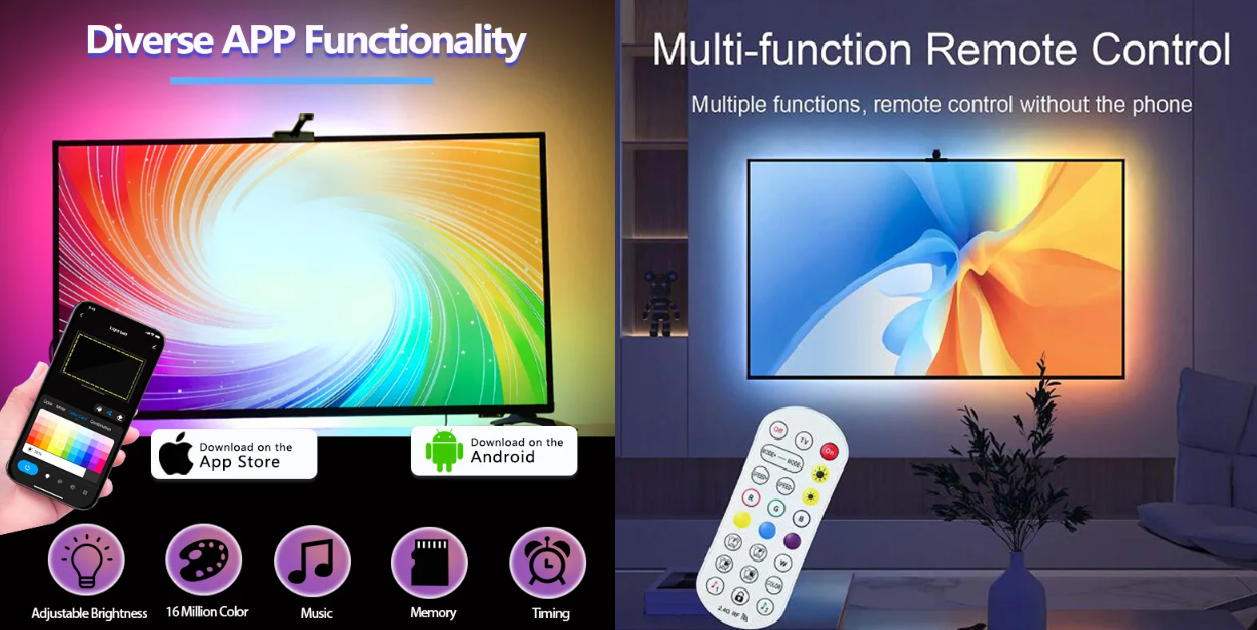
After receiving it, I noticed there was a dedicated app and a remote. I tossed the remote since I’d never use it, but when I tried the dedicated app, I saw it connected via Bluetooth.
So I’m thinking — this thing’s at the top of AliExpress’s best-sellers, surely some hidden master out there has built a sketchy 10-star integration for it..? But after rummaging around, I couldn’t find any.
There was a cheap dedicated app that pops up Bluetooth permission prompts about ten times.. and no matter how hard I dug through HA integrations, nothing came up.
But then it hit me..
- Bluetooth signals are basically broadcasted everywhere, so I can intercept them somewhere else and analyze them
- Even better — the app sends signals from my own phone, so I should be able to see them in Android debug logs
- Then if I can capture just the ON/OFF signals, I should be able to wire it into Home Assistant, right?
This crossed my mind, but..
Going through all that just to control a $20 LED device? I shrugged it off and looked the other way..

But oh no.. the backlight won’t turn off.
Originally the workflow is:
- Plug the USB power cable into the TV
- When the TV turns off, USB power cuts off too
- The backlight
smartlyturns off when the TV does
That’s how it’s supposed to work. But in my case:
- I have my TV linked to Home Assistant via Android Debug Bridge. I use this to power the TV on and do various other things
- But if the TV is fully off, ADB connection fails
- Which means I can’t use the automations I’ve built up
- So I keep the TV in standby instead
- Standby means power is still flowing, so USB has power too
- The backlight never, ever turns off
This is the cycle of suffering I ended up walking..
Sure, there’s the app, and there’s a physical switch on the LED controller, but.. it’s annoying, you know?
So I gritted my teeth and lived with the eternally-on LED backlight.. until I felt my sleep time slowly shrinking and figured ah.. let me grind through this on the weekend.
Since I’m building it anyway, BLE write/read is a pretty common case, right? So I looked for something that handles BLE write generically, and surprisingly there wasn’t much.
So while I’m at it.. I figured I’d build something universal I could reuse for ages.
So this post wraps up the technical problems I ran into while building BLE Controller and how I solved them.
Now then, to start the grind, I first need to know how to actually intercept Bluetooth packets..?
Way back in school I’d done a BLE Scan project, but I’d never actually torn into raw packets (since I just rode on top of libraries).
So I felt a bit lost looking at the raw stuff..
First, I dug up Bluetooth debugging on Android and generated a log file (Android calls it a bug report)..
And just chucked the whole zip file at Claude. Here’s my situation, I toggled it on and off about four times, what’s in there?
Claude said it could see the logs, so I started flailing around. If it works, great; if not, I’ll learn stuff while I flail. No loss either way, right?
1. The Rough Architecture
Before the troubleshooting stories.. I’ll quickly walk through the overall structure. To follow along, let me clear up some BLE terminology.
BLE (Bluetooth Low Energy) — The low-power version of Bluetooth. Mainly used in low-power, small devices. Heavily used in IoT where power consumption matters.
GATT (Generic Attribute Profile) — The protocol for exchanging data with BLE devices. Simply put, it defines “if you send X to this address on this device, X will happen.” The structure looks like this:
- Service — A bundle of features (e.g., “LED control service”). Has a unique address called UUID
- Characteristic — Individual features within a Service (e.g., “Power ON/OFF”). Also has a UUID
- In the end, if you know the Service UUID + Characteristic UUID + hex data to send, you can control any device
BlueZ — Linux’s Bluetooth stack. Since Home Assistant runs on Linux, all BLE communication goes through BlueZ. It throws weird errors sometimes — I’ll cover that later.
So I built a structure where these three values are entered directly through the UI.
config_flow.py   ← UI config (device scan, UUID/data input)
__init__.py      ← Entry setup (creates BLEDeviceManager)
ble_client.py    ← Manages all BLE connections
switch.py        ← Switch entity
button.py        ← Button entity
select.py        ← Select entity
BLEDeviceManager — The Heart of the Connection
BLEDeviceManager in ble_client.py handles all BLE connections.
class BLEDeviceManager:
    def __init__(self, hass, mac, *, keep_alive=False, keepalive_interval=10):
        self._client: BleakClientWithServiceCache | None = None
        self._connect_lock = asyncio.Lock()      # Serialize connections
        self._operation_lock = asyncio.Lock()     # Serialize GATT operations
        self._disconnect_timer: asyncio.TimerHandle | None = None
The two Locks here are key:
_connect_lock: Handles connect/disconnect one at a time. If two places try to connect simultaneously, BlueZ gets confused._operation_lock: GATT Writes one at a time too. BLE drops commands if you fire them concurrently.
Two Connection Modes
On-demand mode (default): Connects only when sending commands, auto-disconnects after 15 seconds of silence. BLE is a 1:1 connection, so if HA holds the connection, the manufacturer’s app can’t access it. Useful when you want to use both in parallel.
def _reset_disconnect_timer(self):
    if self._keep_alive:
        return  # No timer needed in keep_alive mode
    self._cancel_disconnect_timer()
    self._disconnect_timer = loop.call_later(
        DISCONNECT_DELAY,  # 15 seconds
        lambda: asyncio.ensure_future(self._timed_disconnect()),
    )
Keep Alive mode: Connects immediately when HA starts, periodically checks the connection in the background. If it drops, it reconnects on its own. If you have no plans to use the manufacturer’s app and want HA to handle everything, this gives a much snappier response.
async def _keepalive_loop(self):
    if await self._ensure_connected():
        await self._fire_on_connect()  # Initial state query
    while True:
        await asyncio.sleep(self._keepalive_interval)
        if self._client is None or not self._client.is_connected:
            if await self._ensure_connected():
                await self._fire_on_connect()
        else:
            await self._fire_on_connect()  # Ping to keep connection alive
2. Troubleshooting Journey
From here on.. I did a lot of grinding.
Honestly, I never thought building a single On/Off switch would take this much effort..
2-1. Write With Response Hangs Forever
Symptom: First command works fine. From the second command on, it hangs forever with no response.
Cause: The test device (uLamp TV backlight)’s Write Characteristic only supports Write Without Response (0x04), but I had Write With Response set to ON.
Quick explanation: BLE Characteristics have Properties. They define “send data to me using this method.” The two main ones:
- Write Without Response (0x04) — Send and forget. Doesn’t check if the device received it
- Write With Response (0x08) — Send and wait for an ACK saying “received”
You can check this with nRF Connect ..

That NO RESPONSE marker basically means it doesn’t ACK.
How did I figure out that 0xFFB1 is the ON/OFF endpoint? -> That came from HCI logs.
Anyway, in conclusion.. calling write_gatt_char(response=True) sends a Write Request to the device and waits for an ACK.. but if the device doesn’t support that, the ACK never comes.
Plus, while waiting for that ACK it holds an internal lock, so subsequent Write commands all get stuck waiting too. The first command never finishes, so the second, third, and so on all pile up..
Fix: Added a 3-second timeout to all GATT Writes.
async def write(self, char_uuid, data, response=False):
    async with self._operation_lock:
        if not await self._ensure_connected():
            return False
        try:
            await asyncio.wait_for(
                self._client.write_gatt_char(char_uuid, data, response=response),
                timeout=GATT_TIMEOUT,  # 3 seconds
            )
            return True
        except TimeoutError:
            _LOGGER.error("GATT write timeout — force disconnect")
            await self._disconnect()
            return False
On timeout, force-disconnect to release the Lock, then reconnect on the next command.
Lesson: Before controlling a BLE device, always check Characteristic Properties with something like nRF Connect. You really need to verify whether the device sends ACKs..
2-2. 0x0e Unlikely Error — Notify Subscription Conflicts
Symptom: Sporadic BleakDBusError: 0x0e Unlikely Error.
The fact that it was sporadic made it even more annoying (..)
What is 0x0e Unlikely Error? It’s an error BlueZ (the Linux Bluetooth stack) throws when it thinks “this shouldn’t happen.” Funny that it’s called Unlikely, but in practice you hit it pretty often (..)
Cause: BLE has a feature called Notify. The device proactively says “my state changed!” — to receive that, you have to subscribe via start_notify().
The problem was that the subscription was being set from multiple places at once. The background loop that checks state periodically and the code that runs when the user flips a switch were both trying to subscribe to the same Characteristic.. and BlueZ throws 0x0e.
The original implementation was, every time data was sent:
start_notify()— Start subscription- Send data
- Wait for Notify response
stop_notify()— Unsubscribe
When two places ran this simultaneously, conflict.
Fix: Stop subscribing/unsubscribing every time. Subscribe just once on connect and keep it alive. In short, one place keeps receiving Notify events into a buffer, and everyone else reads from that buffer.
async def _subscribe_persistent_notify(self):
    """Called once after connect. Subscription stays alive while connected."""
    if not self._persistent_notify_uuid or self._notify_subscribed:
        return
    await self._client.start_notify(self._persistent_notify_uuid, self._on_notify)
    self._notify_subscribed = True

def _on_notify(self, _handle, data):
    """Save all Notify receives into the buffer."""
    self._notify_data_buffer.append(bytes(data))
    self._notify_event.set()
Once the subscribe/unsubscribe loop was gone, the error vanished.
2-3. HA Entity State Update Lag
Symptom: The device turns on instantly, but the switch state in the HA UI updates much later.
It was pretty noticeable in practice.
Cause: write_and_notify() waited up to 1.5 seconds for a Notify response after Write. If no Notify came or it didn’t match, you’d lose 1.5 seconds every time..
Fix: After Write, optimistically update state immediately. As I mentioned, in Write Without Response mode the device doesn’t send an ACK. So there’s no way to know if it really arrived — but if the connection’s healthy, it probably went through, so let’s just update the UI first. The chance is much higher that it was delivered if the connection’s fine. (TMI: Twitter likes/retweets work this way too.)
# Before: Wait for Notify response with write_and_notify()
ok, state = await self._manager.write_and_notify(...)
if state is not None:
    self._attr_is_on = state

# After: Immediately reflect expected state
ok = await self._manager.write(self._char_uuid, data, response=self._response)
if ok:
    self._attr_is_on = expected_on  # Optimistic update
self.async_write_ha_state()
What if the actual device state is different? The Keepalive loop periodically queries device state and corrects based on that. End result: the UI reacts instantly, and any discrepancy with the real state gets reconciled within a few seconds.
2-4. BLE Disconnects — When Keepalive Wasn’t Keeping Alive
Symptom: Keep Alive was on, but “unexpected disconnect” logs were firing 8-12 times every 2 minutes.
If it’s Keep Alive but the connection drops, isn’t that not keeping alive at all?
Cause: The initial implementation only checked connection state without sending data. BLE devices drop the connection on idle timeout if there’s no data exchange for a while. (Gotta save battery)
# Before: Only check connection state
while True:
    await asyncio.sleep(60)
    if not self._client.is_connected:
await self._ensure_connected() # Reconnect only after disconnectFix: Periodically send actual data in the Keepalive loop.
# After: Periodically send a status query (ping)
while True:
    await asyncio.sleep(self._keepalive_interval)  # 10 seconds (configurable)
    if not self._client.is_connected:
        if await self._ensure_connected():
            await self._fire_on_connect()  # Reconnect + state query
    else:
        await self._fire_on_connect()  # Ping! Keeps connection + refreshes state
This actually killed two birds with one stone:
- Periodic data transmission keeps the device from dropping the connection
- Status query responses also keep HA entity state up-to-date
2-5. Keepalive Interval — Varies by Device
Symptom: I tried Keepalive intervals of 60s → 30s → 15s → 10s, but it still kept disconnecting.
Cause: My backlight kept dropping even at 10 seconds.. it only stabilized at 5 seconds. BLE devices have different idle timeouts.
Honestly, I could’ve figured this out from the initial Android HCI log dump if I’d just left the connection idle for a while.. but I lazily only captured connect + on/off toggles, which was a mistake..
Fix: Made the Keepalive interval configurable per device.
class BLEDeviceManager:
    def __init__(self, hass, mac, *, keep_alive=False, keepalive_interval=10):
        self._keepalive_interval = keepalive_interval
Added a keepalive_interval field to both Config Flow and Options Flow so each device can have its optimal value. Default is 10 seconds, 5-7 seconds recommended if unstable.
2-6. Notify Patterns Without Notify UUID Are Silently Ignored
Symptom: I entered Notify ON/OFF patterns but state checks weren’t working. No errors, just silently ignored, making the cause hard to track down.
Cause: Some devices don’t support Notify, so I made it Optional.. but for Notify to work, you need all four of these as a set: Notify UUID, ON pattern, OFF pattern, status query command. Miss any one and it doesn’t work — but initially there was no validation, so it would save fine even if you only forgot the Notify UUID, with no error.
Fix: Added validation at save time. If any of the 4 fields is filled, require the rest too.
has_patterns = notify_on or notify_off or status_query
if has_patterns and not notify_uuid:
    errors["base"] = "notify_uuid_required"
3. Real-World Example: uLamp TV Backlight
Now, here’s how I actually integrated my AliExpress backlight (UAC088-YH-C0) into HA using this integration.
How Did I Figure Out the Protocol?
Honestly, this was my first time analyzing a BLE protocol, but I worked through it step-by-step by asking AI. For anyone in a similar situation, here’s the process.
Step 1: Enable HCI snoop logging
On Android, go to Settings → Developer Options → Enable Bluetooth HCI snoop log. This saves all Bluetooth packets going through your phone to a file.
Step 2: Capture logs while operating with the dedicated app Use the manufacturer’s app to do things like ON/OFF. The packets going out are exactly what you need to figure out.
Step 3: Extract the log file
Pull it with adb pull /data/misc/bluetooth/logs/btsnoop_hci.log, or generate a bug report from Developer Options to extract it.
Step 4: Analyze You could open it in Wireshark and pore over it directly, but.. I didn’t want to spend a precious weekend staring at hex.
So I threw it at Claude Code with “find the BLE GATT Write packets for me.” It parsed the packet structures on its own and we were done quickly.
The packet format I derived looks like this:
0A A5 <SEQ> <CMD> [<PARAMS>]0AA5— Protocol header (fixed)SEQ— Sequence ID (incremented each time, but it’s not validated so a fixed value still works)CMD 01— Power ON/OFF (01=ON,00=OFF)CMD FF— Status query
Power toggles captured from HCI logs:
| Sent data | Action | Notify response |
|---|---|---|
0AA5120100 | OFF | 0AA5000A0000000000000000 |
0AA5130101 | ON | 0AA554050000640001001F |
BLE Controller Configuration
| Field | Value |
|---|---|
| Service UUID | 0000ffb0-0000-1000-8000-00805f9b34fb |
| Write Char UUID | 0000ffb1-0000-1000-8000-00805f9b34fb |
| ON data | 0aa5010101 |
| OFF data | 0aa5010100 |
| Write With Response | OFF (only 0x04 supported) |
| Notify UUID | 0000ffb2-0000-1000-8000-00805f9b34fb |
| ON pattern | 0aa554 |
| OFF pattern | 0aa5000a |
| Status query command | 0aa501ff |
| Keep Alive | ON |
| Keepalive interval | 5 seconds |
Things to Watch Out For
- TV USB power: Normally, USB power cuts off when the TV turns off, so the device powers down. But in my case, as mentioned, I keep the TV in standby so USB has constant power. That’s why I needed BLE control. Generally, BLE control only works while the TV is on.
- Keepalive 5 seconds: This device hits idle disconnect even at 10-second intervals. 5 seconds is stable.
- Write With Response OFF required: ffb1 Characteristic’s Properties are 0x06 (Read + Write Without Response). Turn Write With Response on and it hangs waiting for the ACK
4. Wrap-Up
I just wanted to flip an On/Off switch.. and I learned a surprising amount.
Especially, the feedback loop with physical devices is always rough. Edit code → update via HACS → restart Hass → wait for BLE connection → test → check logs.. losing 5 minutes per cycle made debugging really… not easy.
Connection drops, ACKs don’t come, errors when concurrent access to the same resource, idle timeouts vary by device..
Summarizing what I learned in this project:
- BLE Writes need timeouts, period. If no ACK comes, the Lock never releases.
- Subscribe to Notify only once, keep it alive while connected. Repeated start/stop is a race condition factory.
- Keepalive needs more than just checks. You have to actually send data to keep the connection alive.
BLE Controller can be installed via HACS . If you want to control a BLE device that doesn’t have a dedicated integration in HA, check out the GitHub repo !
Comments