
Note: I’m based in Korea, so some context here is Korea-specific.
When you build an MSA service, you’ll see very frequent communication between servers.
For example, let’s say there’s a (very simplified) money-transfer service.
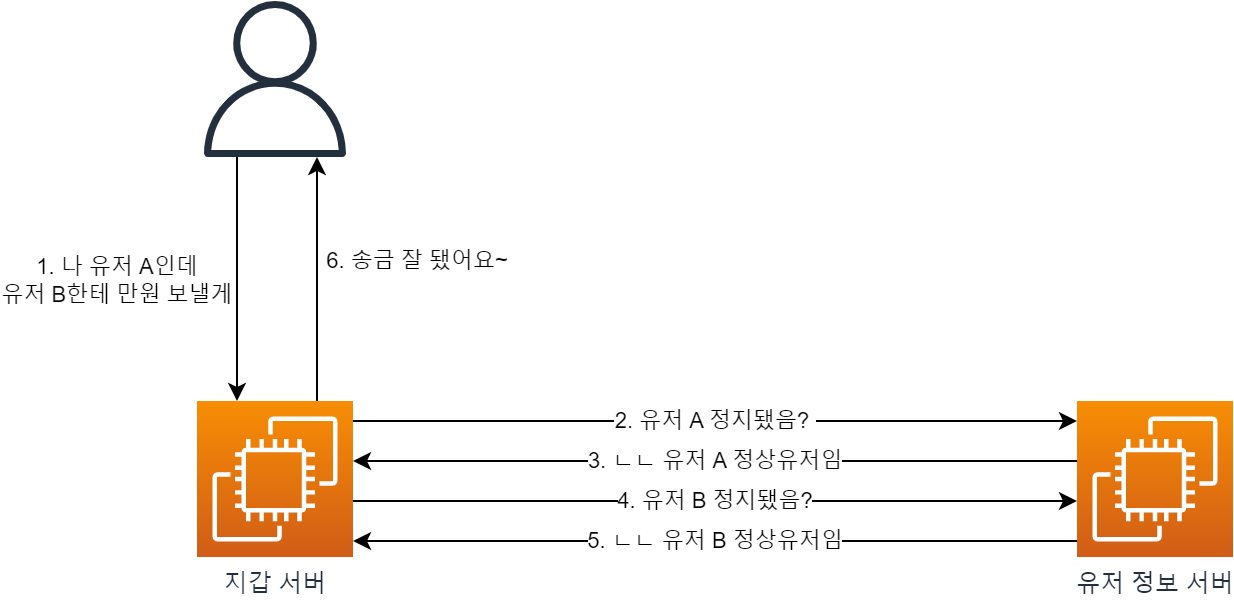
If there’s a wallet server and a user-info server, calling the transfer API would result in something like the picture above.
But what if the valid-user check API could be accessed from outside?
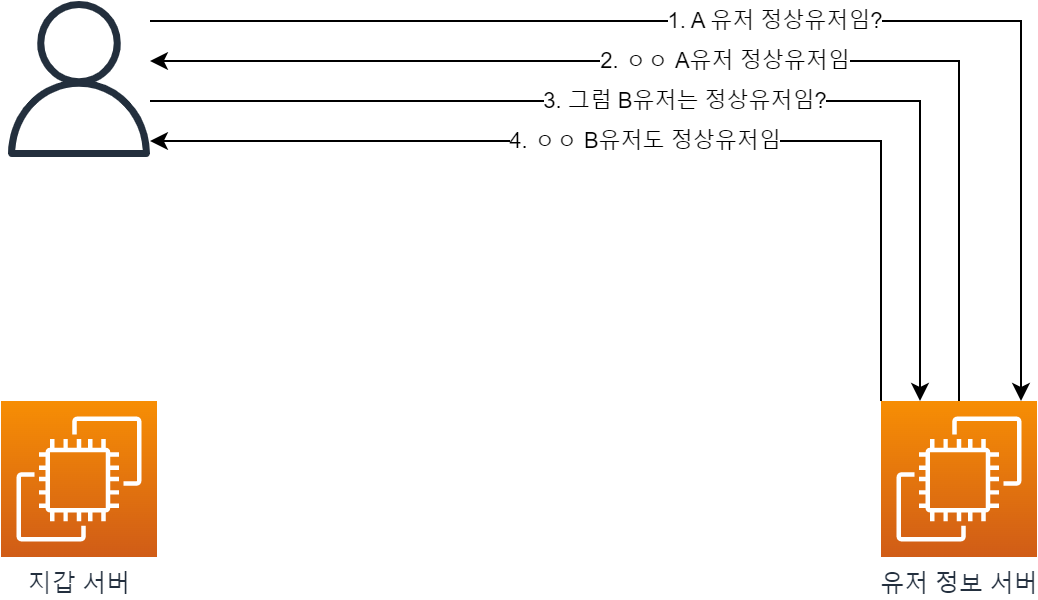
A malicious user with bad intentions could even chart the ratio of legitimate users on our service (…).
So in an MSA architecture, we end up with a requirement: the API can be used for inter-server requests, but external users must not be able to access it.
How can we achieve this?
1. The simplest approach is to share a secret key between the servers.
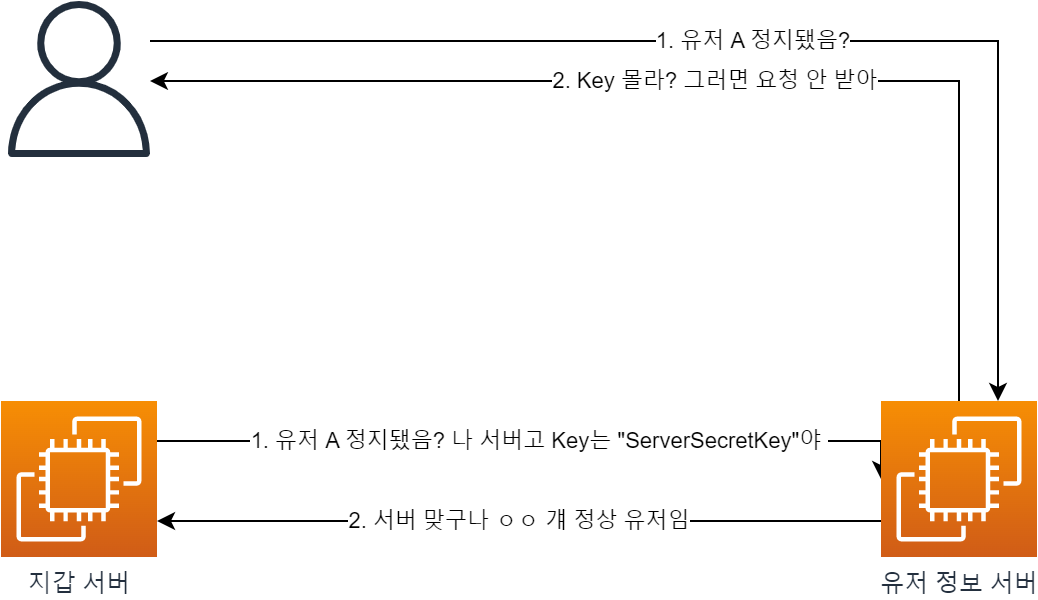
- Using environment variables or similar, the servers share the same secret key with each other.
- They include this in something like a custom HTTP header so that the server sends the key along with each request.
- When the server receives an internal API request, it checks the secret key and rejects the request if it doesn’t match.
But there are problems with this approach.
- What if someone walks off with the secret key? Or what if the key is exposed in an external repository like Git?
- External API requests would obviously become possible.
2. Then how about managing a whitelist?
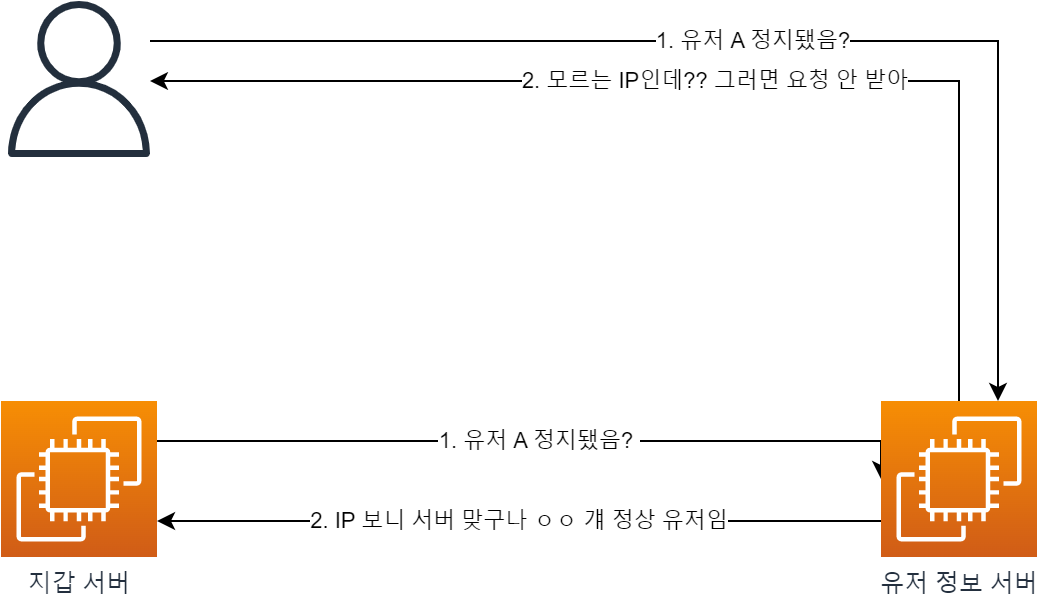
- If we know all the server IPs, we can check the IP via the
X-Forwarded-Forheader and block anything that isn’t a known server IP.
But this approach has its own issues!
- What if traffic surges and we have to scale out our servers?
- Naturally, we don’t know the new server’s IP, so it’ll be blocked.
3. Let’s block external entry through network configuration!
Approaches 1 and 2 are good, but it would be even safer if responses from external requests didn’t reach the servers at all.
Let’s implement this using Private DNS / Public DNS!
This is also called
Split Horizon DNSorMultiview DNS.Reference doc: ( Link )
Let’s go through it step by step.
1. First, let’s look at Public DNS / Private DNS.
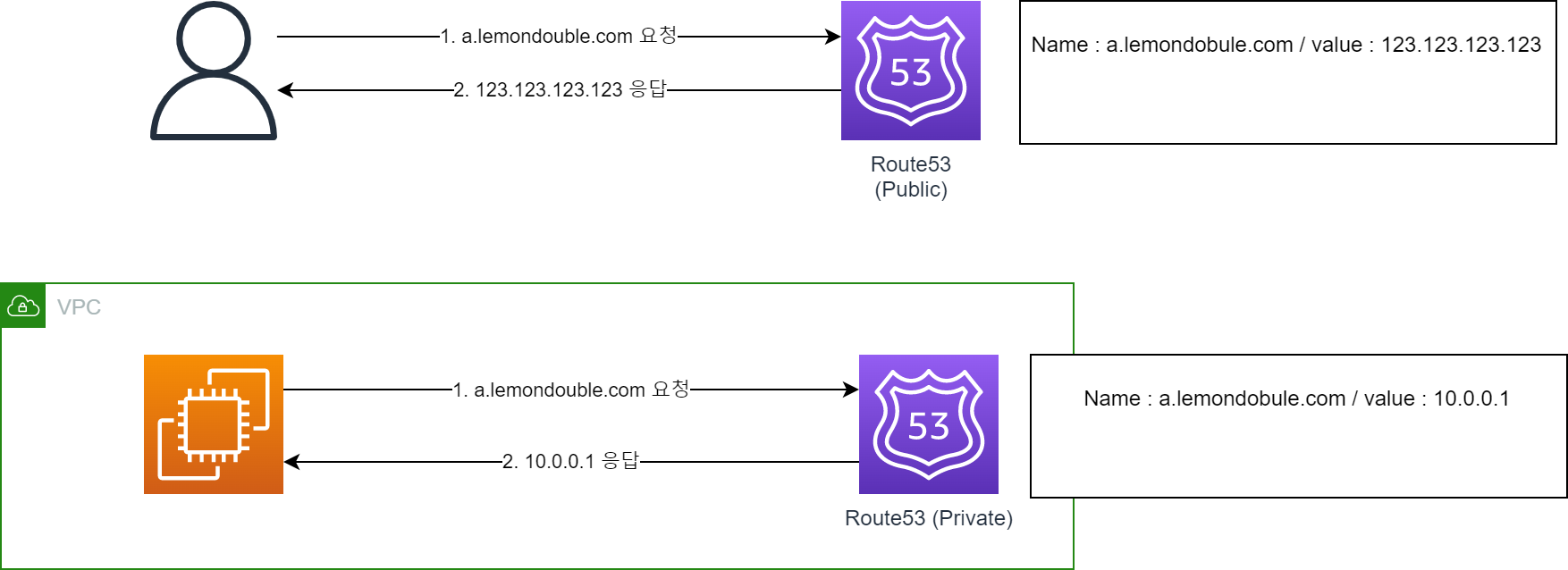
- Very simply put, you can return different addresses depending on whether the access comes from outside the VPC or from inside.
- Think of it as using an internal DNS server when accessed from inside the VPC, and an external DNS server when accessed from outside!
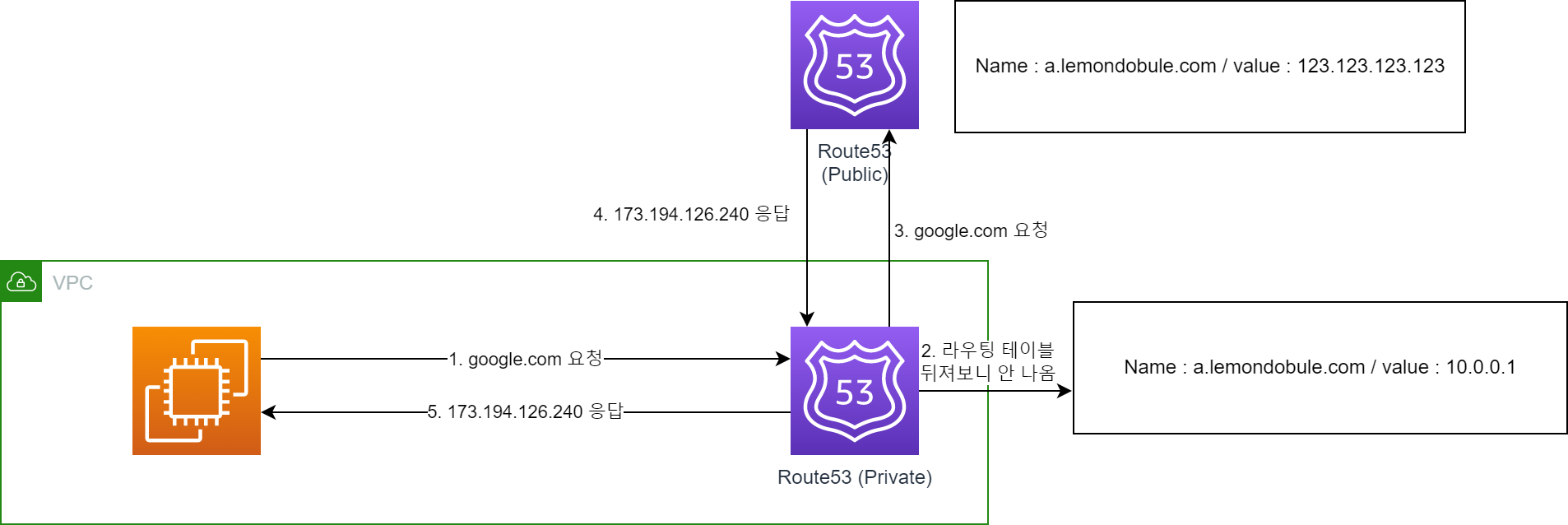
So what happens if you query a record that doesn’t exist in the internal DNS?
As shown above, it queries Private DNS first, and if not found, queries Public DNS.
(Note: This may not exactly match the actual network flow. The important point is that Private DNS takes priority.)
2. Now let’s look at ALB.
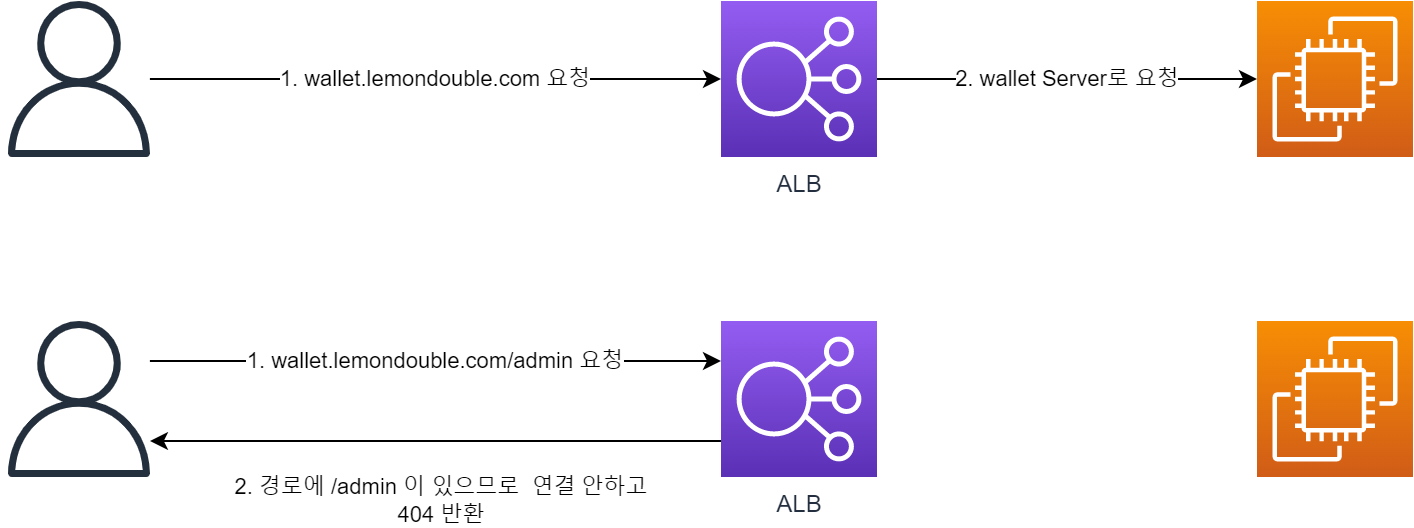
ALB (Application Load Balancer) can evaluate incoming requests and route them appropriately.
- It can respond appropriately based on the HostName. For example..
- Requests to
wallet.lemondouble.comcan be connected to thewallet server. - Requests to
user.lemondouble.comcan be connected to theuser server.
- Requests to
- You can do the same thing using the Path.
- Requests to
api.lemondouble.com/walletcan be connected to thewallet server. - Requests to
api.lemondouble.com/usercan be connected to theuser server. - Of course, it can also
Deny if a specific Path is included.
- Requests to
- It can respond appropriately based on the HostName. For example..
3. So what happens when we combine these two?
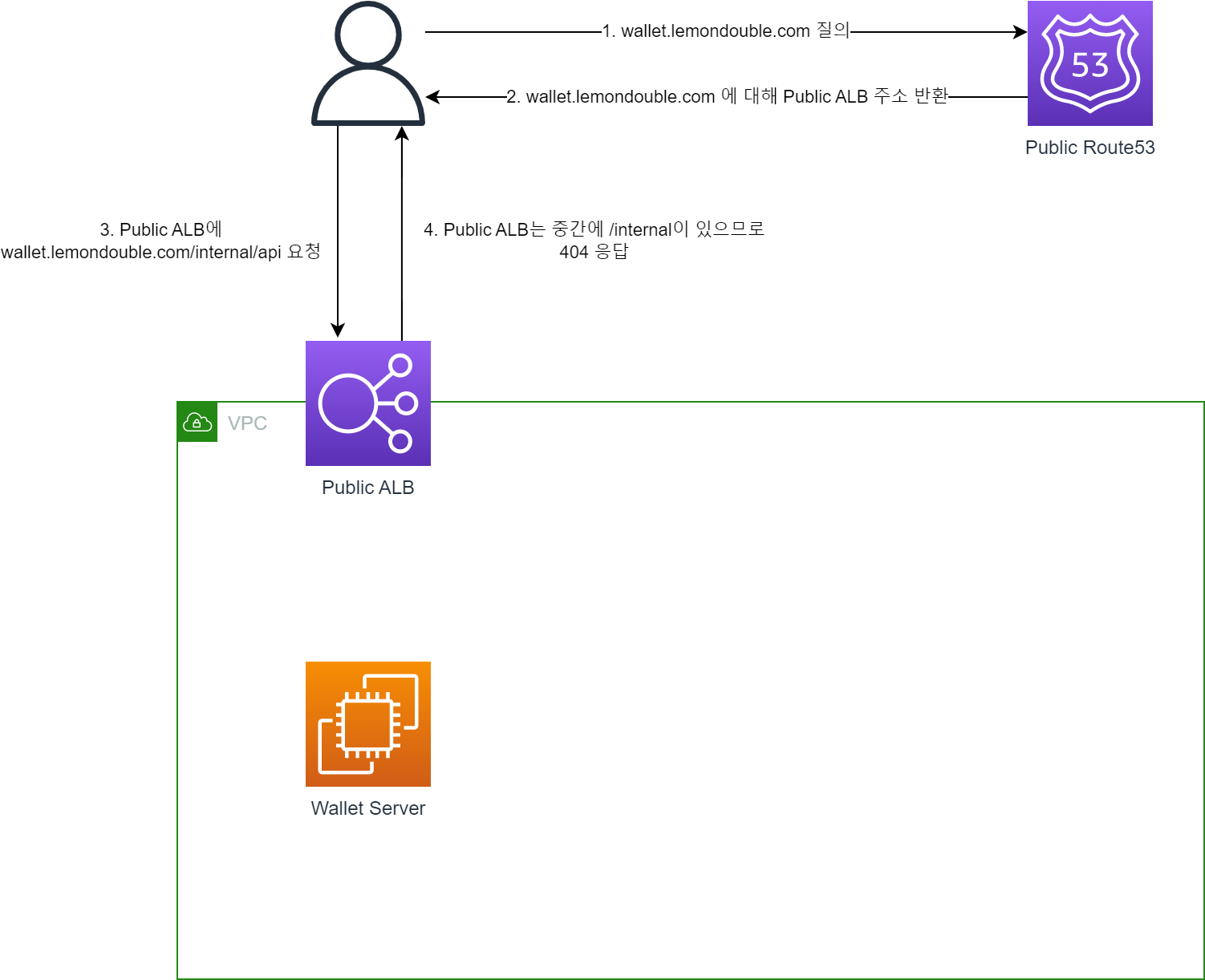
First, create a Public DNS and a Public ALB connected to the internet.
- The Public ALB rules are as follows:
- Priority 1:
If Hostname matches wallet.lemondouble.com and Path is /internal*, return a fixed 404 response - Priority 2:
If Hostname matches wallet.lemondouble.com, connect to port 80 of the Wallet Server
In this case, ALB rules are applied in order of priority, so:
wallet.lemondouble.com/api/hellodoesn’t matchPriority 1but matchesPriority 2, so it’s connected to the wallet Server.wallet.lemondouble.com/internal/hellomatchesPriority 1, so it gets a 404 response.
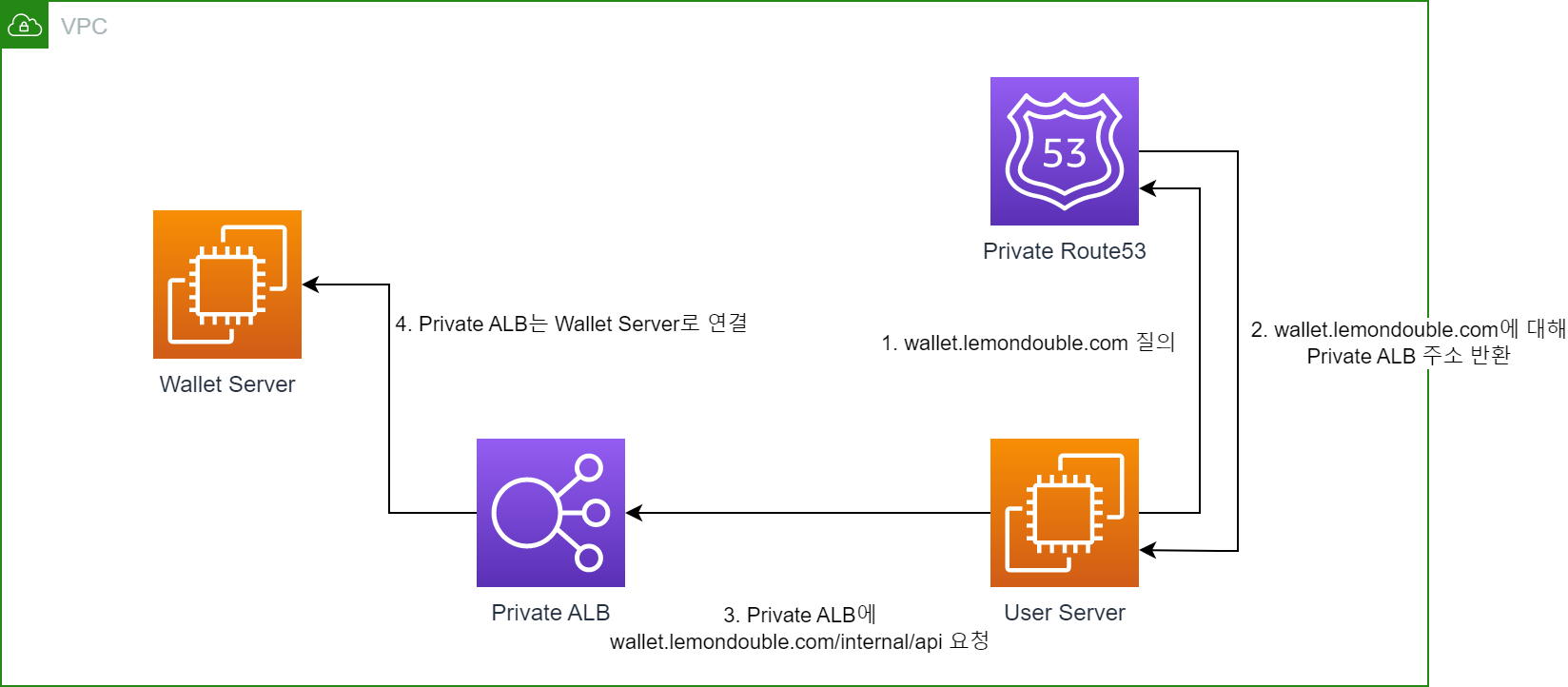
Next, just like the Public DNS, create a Private DNS and a Private ALB that is not connected to the internet.
- The Private ALB rules are as follows:
- Priority 1:
If Hostname matches wallet.lemondouble.com, connect to port 80 of the Wallet Server
In this case, since there’s no logic returning 404 for
/internal*, all requests are forwarded to the Wallet Server.
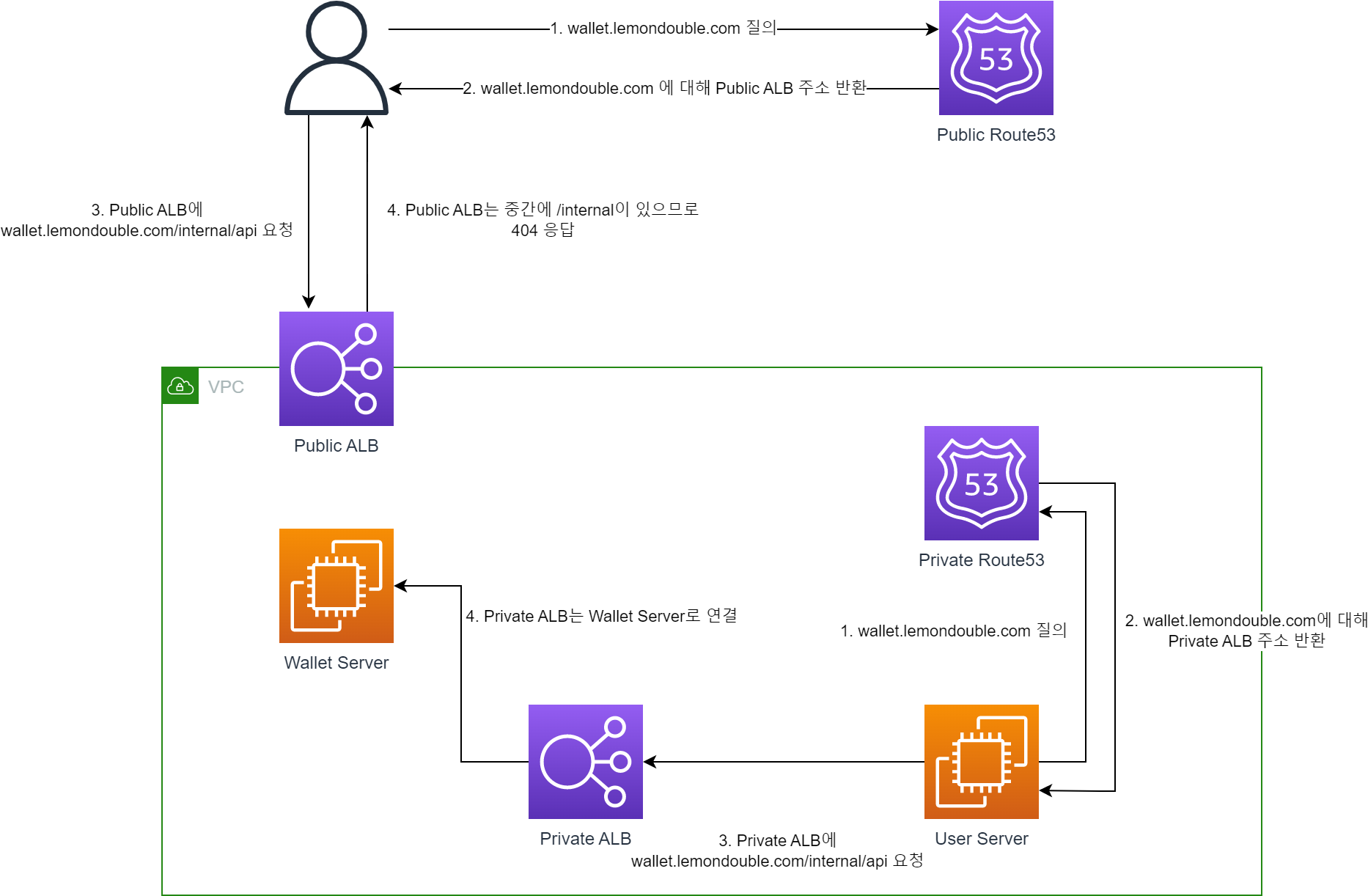
- Combining the two, you get the following shape.
- When you call the
wallet.lemondouble.com/internal/helloAPI, you get a 404 response from outside the VPC, but a normal response from inside the VPC.
4. So is network configuration alone enough?
- It depends on how sensitive your application is to information leakage, but combining approaches 1 and 3 would be even better. Then..
- Even if the secret key between servers is leaked, the network configuration blocks external access.
- Even if the network configuration is misconfigured by accident, external access is blocked because outsiders don’t know the secret key.
- Mistakes can always happen, so it’s much better to have a way for the system itself to prevent mistakes from causing damage!!
That’s it for how to build a Private (or Internal) API.
There are many ways to build a Private API. Beyond this, you could also use AWS API Gateway, or (I’m not too familiar with these) K8S or Spring Cloud Gateway, etc.
I hope you’ll take this as just one of many possible approaches. If anything is incorrect, please leave a comment!
Thank you.
Comments