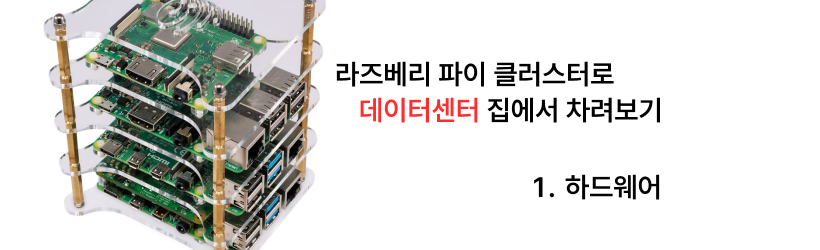
Note: I’m based in Korea, so some context here is Korea-specific.
The first session is all about hardware! Let’s start with the simple stuff and quickly move on to the more complex topics.
1. SBC (Single Board Computer)
The most important thing is, of course, the SBC.
Personally, I recommend setting alerts on Danggeun Market1 and grabbing Raspberry Pi 4B 4GB or 8GB models one by one whenever they pop up.
It has the most references, software maintenance and testing are well-supported, and buying used can offset the price disadvantage to some degree.
For reference, the going rate seems to be between 80,000-100,000 KRW these days. (As of December 2023, Seoul)
Note that since the Raspberry Pi uses the ARM architecture, you may run into trouble running some programs that only support X86. (A representative example is self-hosted Sentry .)
If you have the financial flexibility and want to avoid such cases, an Intel NUC or an N100-equipped Mini PC from AliExpress could be good alternatives.
2. Case
For the Raspberry Pi, I recommend a tower case like the one in the picture.
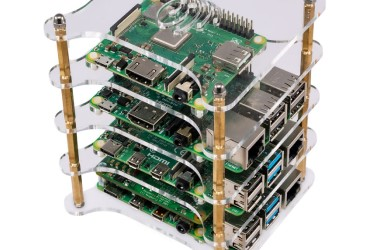
It uses space efficiently, is cheap, and most importantly the cable management looks pretty and feels great makes cable management easy.
However, the cooling system that comes with the basic purchase is weak, so you’ll need additional cooling.
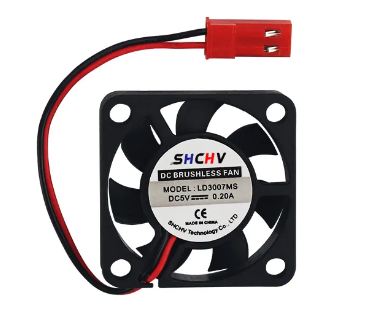
You can plug a 5V fan like the one in the picture above into one of the cluster nodes (search for “5V fan Raspberry Pi” and you’ll find plenty of resources), or I’d recommend just placing a handheld fan next to it.
3. Power Supply
Based on the Raspberry Pi 4B model, each computer requires 15W (5V 3A) of power. (Link , search for A 15W)
So each Pi needs 15W of power, and if you build a 4-node cluster, you’ll need a maximum output of 60W.
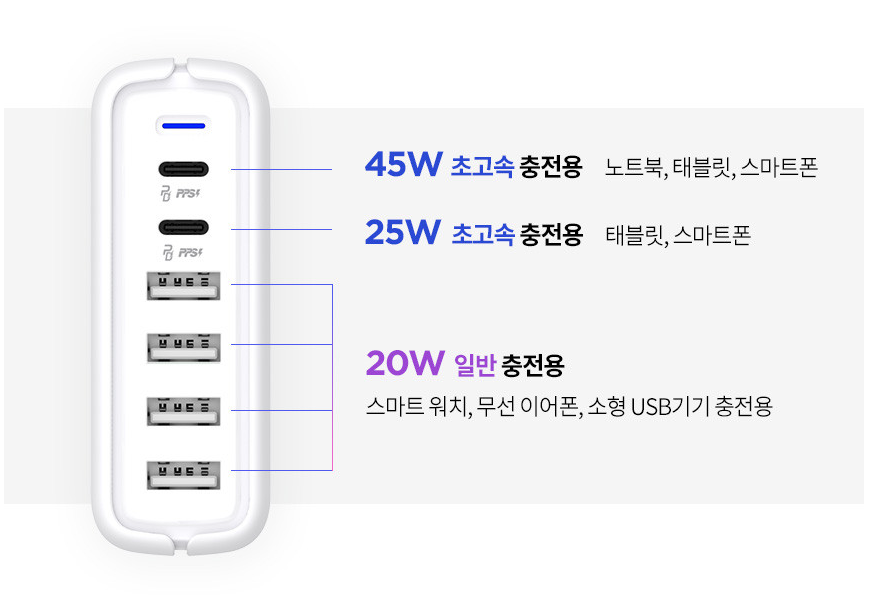
Therefore, if you connect them in parallel to the USB Type A ports (the bottom 4) of a charger like the one above, the supply capacity will be less than required, and the charger will be overloaded.
There aren’t many chargers that supply 5V 3A on the market (most are 2.1A or 2.4A Max), so unless you buy a dedicated charger, there will be some overload. In my experience, a 1A difference wasn’t a big problem, but avoid connections like plugging 4 devices into a multi-charger.
There are no multi-chargers that supply 5V 3A… or even 5V 2.4A across multiple ports, so if you want to organize your power supply cables, buying an SMPS (Switching Mode Power Supply) is the safest option. I’ll post about this another time if I get the chance.
In conclusion, for power supply:
- If you use a multi-charger, watch the total wattage and distribute the cables so they aren’t excessively overloaded (don’t plug into all 6 ports just because it’s a 6-port charger!)
- Otherwise, buy multiple 2.1A single-port chargers and plug them in.
That’s about it for now.
4. SSD and USB UASP (USB Attached SCSI Protocol)
Since the Raspberry Pi has no separate SATA cable or NVME slot, you connect the SSD via USB.
At this time, the transfer speed of an SSD using SATA3 is up to 6Gbps, and the transfer speed of USB 3.0 is up to 5Gbps. (Of course, these are theoretical speeds, and actual speeds are much lower.)
However, if USB 3.0 doesn’t support the UASP feature, USB 3.0 transfers data inefficiently (explaining in detail would take too long, so I’ll skip it). You need to use a cable/connector that supports the UASP (USB Attached SCSI Protocol) protocol to use the full throughput without loss.
But cheap cables that cost a few thousand won don’t support the UASP protocol, so you need to verify before purchasing whether it supports the UASP protocol.
In my case, I use a Saerotec FHD-260U3 (not a paid promotion), and I hear that Ugreen cables from AliExpress are also well-reviewed.
Below are my test results.


- Recommended reading: UASP makes Raspberry Pi 4 disk IO 50% faster
As for the SSD, you can just grab any SATA3 SSD when there’s a decent hot deal.
5. Network Equipment
I’ll have plenty of opportunities to talk about network configuration when building the system later, so I’ll just briefly explain the equipment.
For the switch hub, I used the ipTIME H6008-IGMP. Any switch hub that supports 1Gbps or higher should be fine.
Likewise, for LAN cables, Cat5e or higher (most cables you buy are Cat5e or higher anyway) should work without issues.
Wrapping Up
In Part 1, I briefly covered the hardware needed to build a stable cluster.
If there’s anything wrong or that needs correcting, please let me know!
Danggeun Market (당근마켓) is a popular Korean hyperlocal second-hand marketplace app. ↩︎
Comments